Figure and video
figure and video.
figure is media with a caption and credit. video is a leaf directive that takes no body.
Attributes
| Attribute | Values | Default |
|---|---|---|
figure src |
path or URL | none |
figure alt |
any text | empty |
figure caption |
any text | none |
figure credit |
any text | none |
video src |
path or URL (required) | |
video title |
any text | none |
video poster |
path or URL | none |
Every directive also accepts id, which becomes the HTML id; see Syntax and metadata.
Figure with everything
Markus
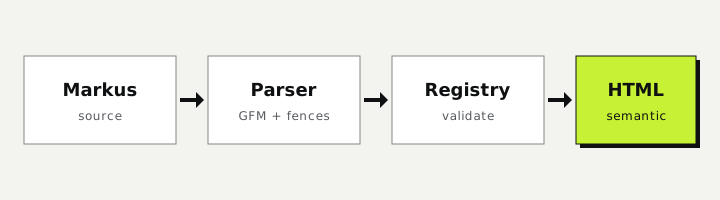
:::figure{src="../assets/pipeline.svg" alt="Markus processing pipeline" caption="Source becomes a directive AST, then semantic HTML." credit="Anthus AI"}
:::
Preview
Caption only
Markus
:::figure{src="../assets/pipeline.svg" alt="Markus processing pipeline" caption="Only a caption."}
:::
Preview
Credit only
Markus
:::figure{src="../assets/pipeline.svg" alt="Markus processing pipeline" credit="Photo: Anthus AI"}
:::
Preview
No caption
Markus
:::figure{src="../assets/pipeline.svg" alt="Markus processing pipeline"}
:::
Preview
Body instead of src
With no src, the body is the content and the caption still applies.
Markus
:::figure{caption="Any Markdown can be the figure content."}
```text
source -> AST -> HTML
```
:::
Preview
source -> AST -> HTML
Video
Video
The site ships no video file, so this uses the pipeline image as a stand-in source: the player shows controls but nothing plays. It demonstrates the markup.
Markus
::video{src="../assets/pipeline.svg" title="Walkthrough"}
Preview
Video with poster
Markus
::video{src="../assets/pipeline.svg" title="Walkthrough" poster="assets/pipeline.svg"}
Preview
Video, src only
Markus
::video{src="../assets/pipeline.svg"}
Preview